
Claiming Land Manual
How to Claim Land
How to claim land on LoungeSMP: run /kit claim, hold the golden shovel, pick two opposite corners around the area you want protected, then right-click each corner with the shovel.
Commands
/kit claimGives you the claim tools, including the golden shovel.Golden shovelRight-click two opposite corners to create or resize a claim.StickRight-click with a stick to inspect whether land is claimed.Find a Lost Claim
If you cannot remember where a claim is, run /claim list to view your claims and their coordinates.
Trust Friends Safely
Trust levels are different. Use the smallest permission that gives the player what they actually need.
Common trust commands
/Trust (player)Lets a player edit blocks inside your claim.Alias: /t/UnTrust (player)Removes a player's permissions in your claim.Alias: /ut/TrustListLists permissions for the claim you are standing in./Untrust AllRemoves all permissions for all players in your claim.Limited access
/AccessTrust (player)Lets a player use buttons, levers, and beds.Alias: /at/ContainerTrust (player)Lets a player use buttons, levers, beds, crafting gear, containers, and animals.Alias: /ct/PermissionTrust (player)Lets a player share their permission level with other players.Alias: /ptUse the Claim Menu
The /claim menu gives you a visual way to manage the claim you are standing in.
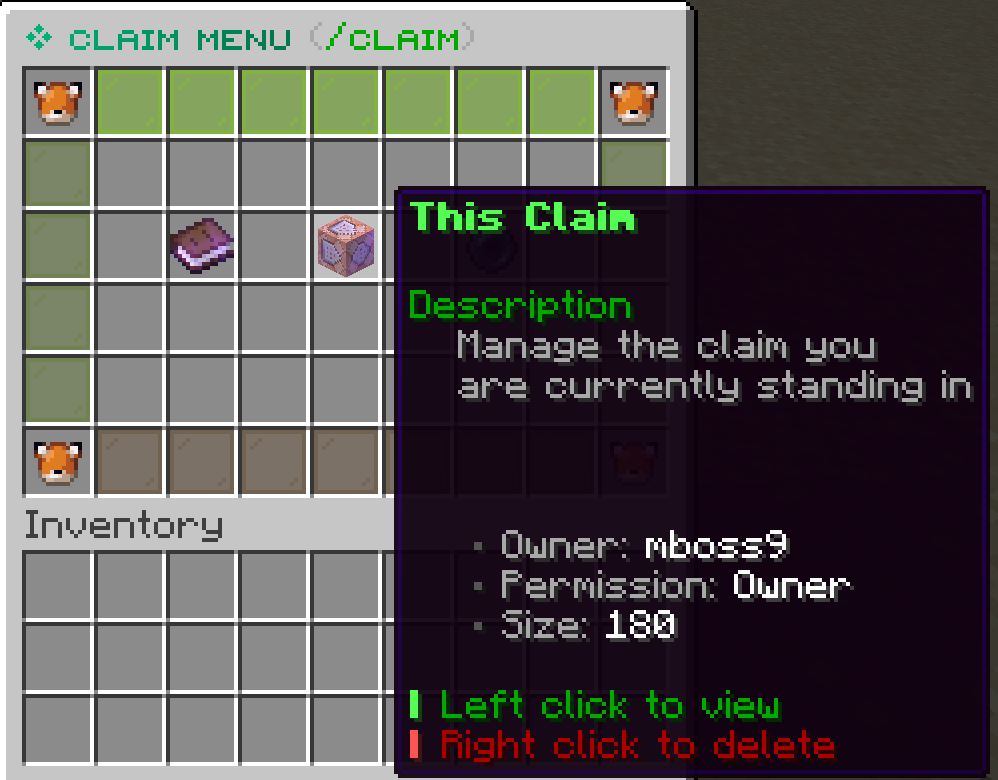
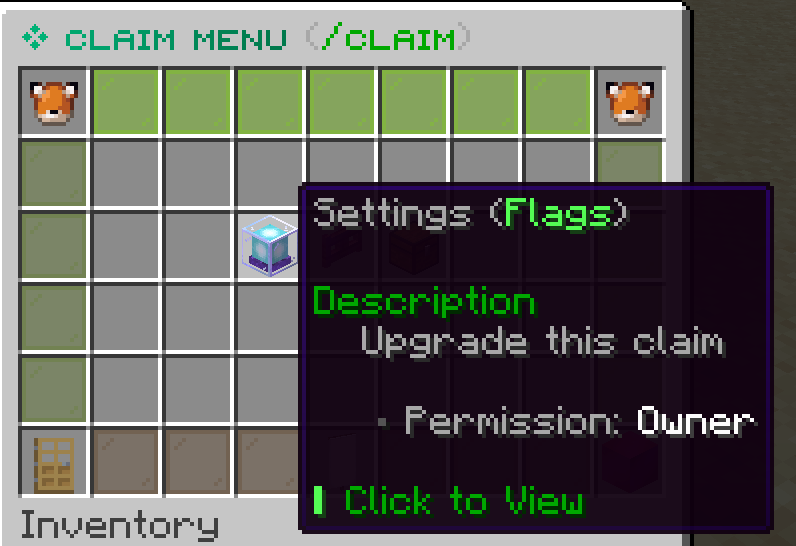
Claim Settings
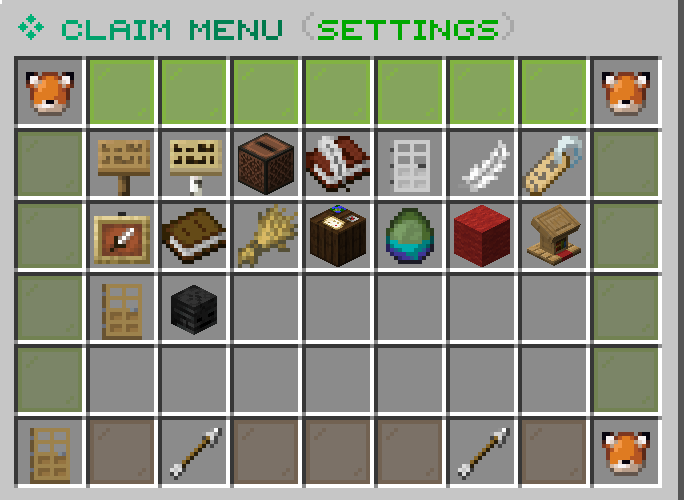
Settings control specific behavior inside a claim. Ranking up from Citizen to Elite to Supreme can unlock more claim settings.
Commands
/claim -> This Claim -> SettingsOpens the claim settings menu for the claim you are standing in./ClaimExplosionsToggles whether explosions are allowed in the claim.Subdivisions
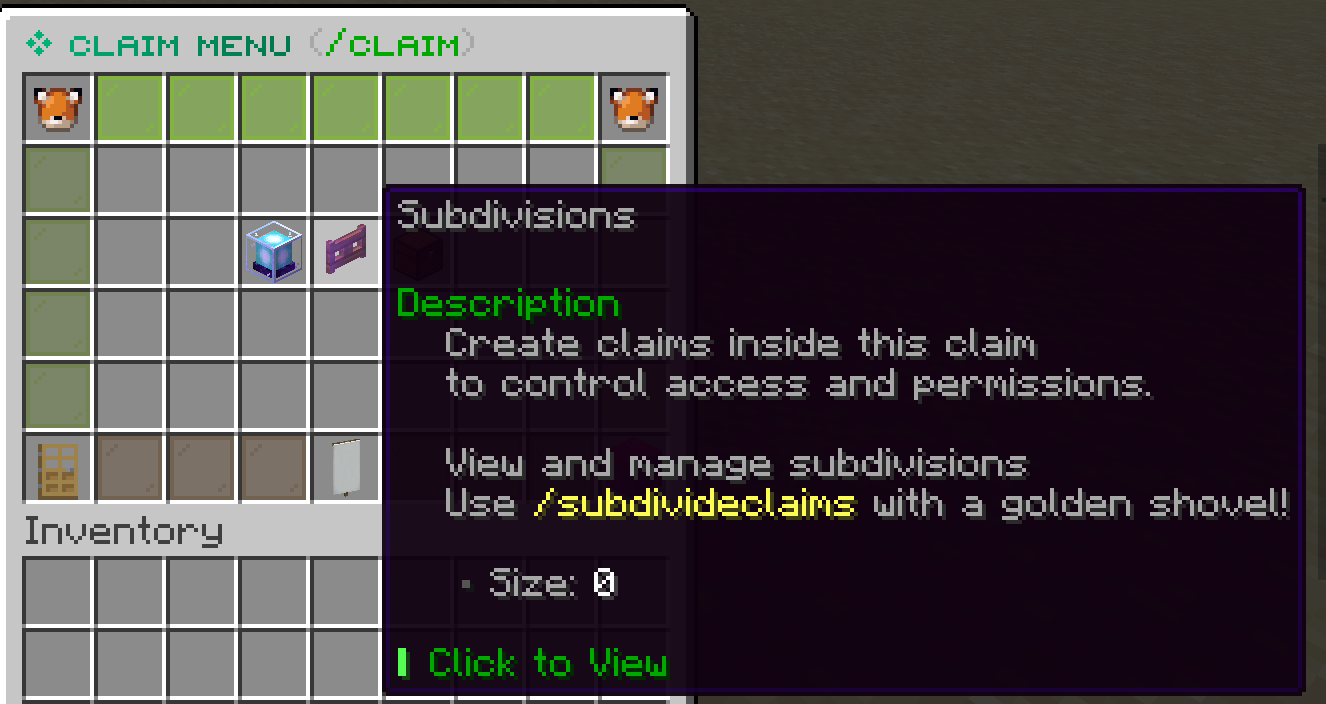
Subdivisions are smaller protected areas inside a main claim. They are useful when you want different permissions in different parts of the same claim.
Common Claim Mistakes
Most claim problems come from trusting too much, claiming too little, or forgetting which shovel mode you are in.
Commands
/BasicClaimsReturns your shovel to normal claiming mode.Alias: /bc/TrustListChecks who currently has permission in the claim you are standing in.Other Claim Commands
Use this as a scannable reference for extra claim commands. Trust, settings, and subdivision commands are explained in the sections above instead of being repeated here.
Claim management
/AbandonClaimDeletes the claim you are standing in./AbandonAllClaimsDeletes all of your claims./claim listLists your claims, coordinates, and claim block details.Alias: /claimlist/claim transferblock (player) (amount)Gives unused claim blocks to another player.Safety and utility
/TrappedGets you out of a land claim you are trapped inside./UnlockDropsAllows other players to pick up items you dropped when you died./GivePetGives away a tamed animal.Ignore commands
/IgnorePlayer (player)Ignores a target player's chat messages.Alias: /Ignore/UnIgnorePlayer (player)Un-ignores a target player's chat messages.Alias: /UnIgnore/IgnoredPlayerListLists all players you currently have ignored.Alias: /IgnoreList